
Print a single form
Free incident report
$0
One-page incident report in A4 and US Letter. Printable PDFs only. Creem's $0 checkout provides the download.
Get the free form ↗For independent pet sitters and dog walkers taking private bookings. Use Word to edit the business details and wording. Print the supplied A4 or US Letter PDFs as they are, or export a new PDF after making your own changes.
One-time USD base prices. Applicable taxes and final total shown at checkout. PDFs are print-only, not fillable.
These previews show cropped details from the supplied blank documents. Enlarge a preview to inspect the full page, or open the original image.
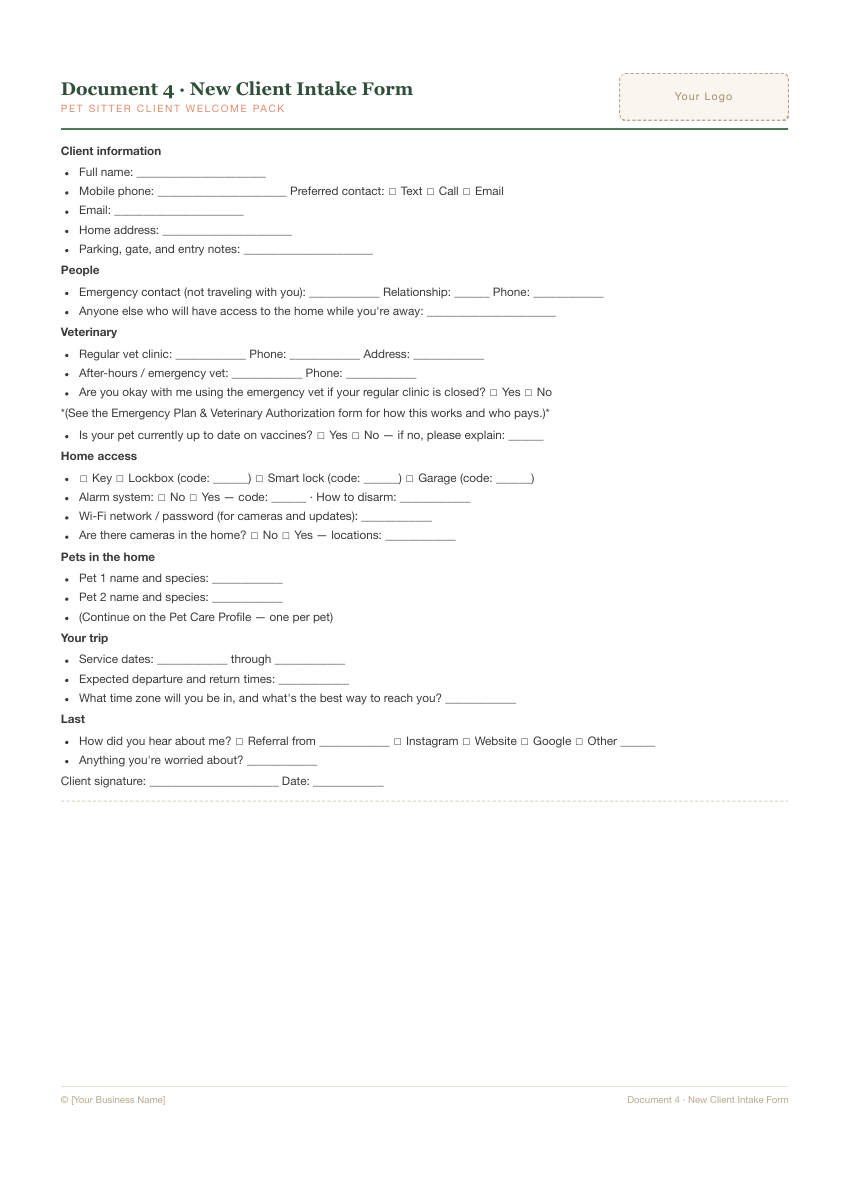
The intake form is included in Starter and Complete. Keep the owner’s confirmed contact details and access arrangements together before the first booking.
Open full-size preview ↗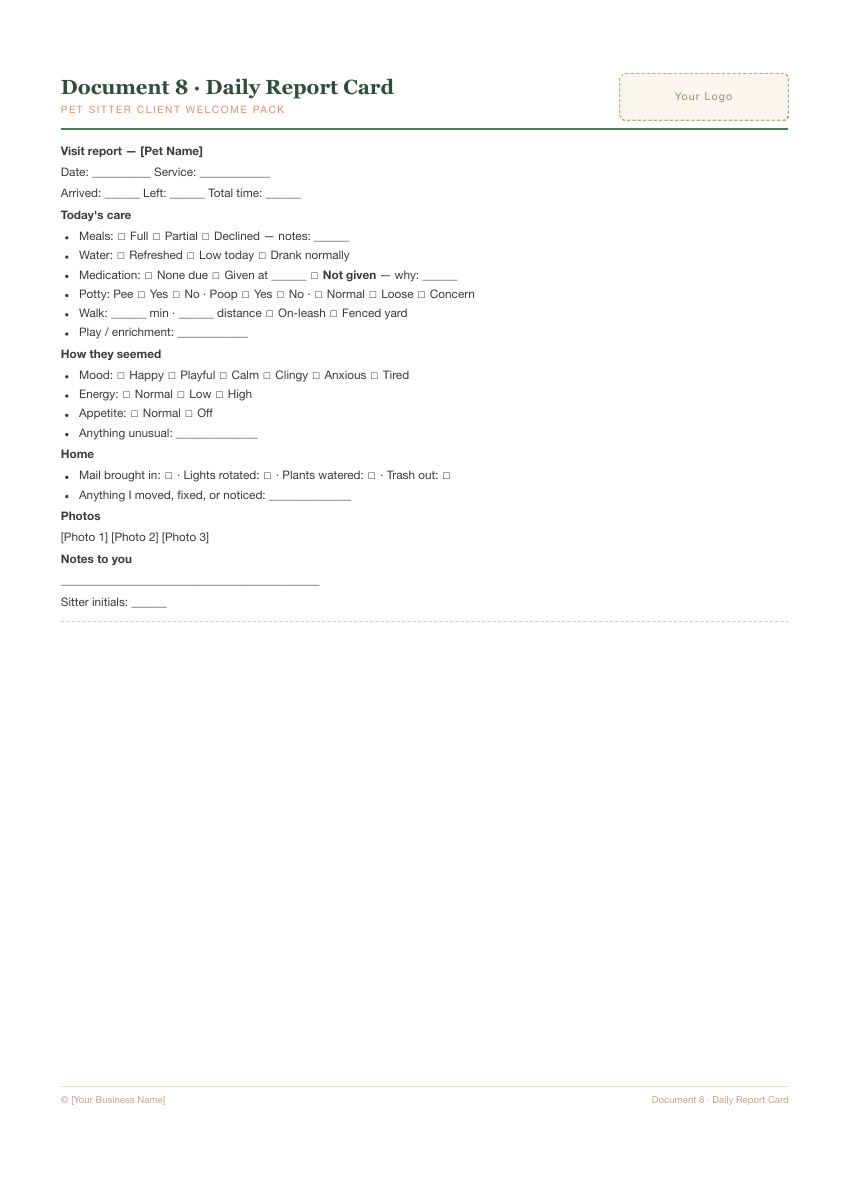
The daily report card is included in Starter and Complete. Record what happened during the visit and any follow-up the owner needs to confirm.
See a fictional filled-in report →
Open full-size preview ↗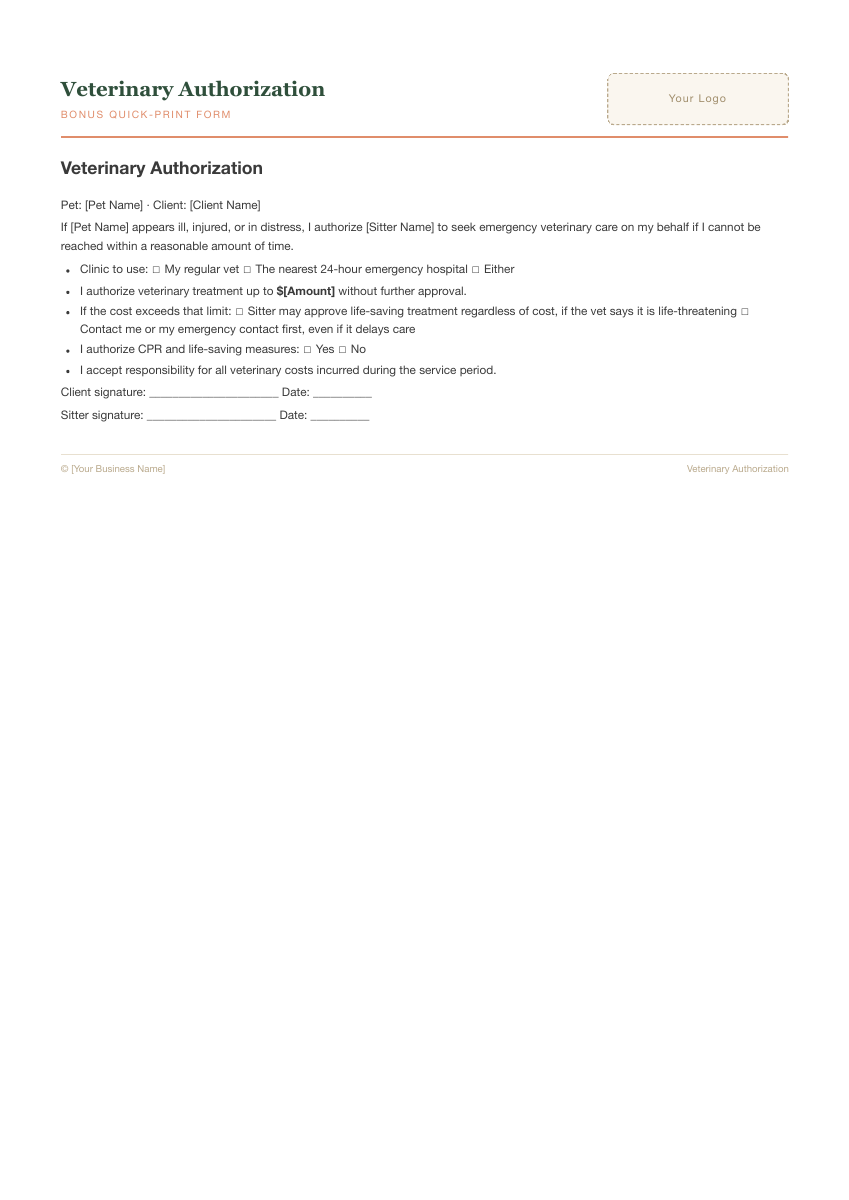
Complete includes an Emergency Plan & Veterinary Authorization document and quick-print companions. Review the wording with the owner and have agreements checked for your jurisdiction.
Read the authorization guide →
Open full-size preview ↗11 editable client documents, plus instructions and printable companions for one pet-care business.
Also includes a How To Use guide, plain-text copy pack, merged Word file, whole-pack A4 and US Letter PDFs, and four standalone quick-print PDF forms.
| Included | Free incident report | Starter · US$12 | Complete · US$19 |
|---|---|---|---|
| Main use | Record an incident | Prepare core client paperwork | Prepare a fuller client file and visit workflow |
| Editable Word documents | None | 4 | 11 |
| Welcome, intake, agreement and daily report | Not included | Included | Included |
| Pet profile, meet-and-greet, emergency plan and other collection documents | Not included | Not included | Included; see the full list above |
| Printable PDFs | One incident form in A4 and US Letter | Whole-pack A4 and US Letter PDFs | Whole-pack A4 and US Letter PDFs, plus 4 standalone quick-print forms |
USD base prices, paid packs are one-time purchases. Taxes and final total appear at checkout. The supplied PDFs are print-only; edit the Word source to change the wording.
One-page incident report in A4 and US Letter. Printable PDFs only. Creem's $0 checkout provides the download.
Get the free form ↗Four editable Word documents: welcome letter, intake form, service agreement and daily report card. Whole-pack A4 and US Letter PDFs included.
Get Starter ↗All 11 editable Word documents, instructions, whole-pack PDFs and four standalone quick-print forms.
Get Complete ↗Editing a Word file does not change the PDFs supplied in the download.
Walk through a fictional daily report →Choose Starter if you need the welcome letter, intake form, service agreement and daily report card. Choose Complete if you also need the other collection documents, including the pet profile, meet-and-greet checklist and emergency plan. Use the free incident form if that is the only record you need.
The supplied PDFs are print-only, not fillable. Edit the Word source files in a paid pack, then export your own PDF. Check the preview and file format before buying.
These are document files you edit and keep in your own filing system. You handle bookings, client communication and secure storage of the completed records.
The editable Word files are in English, with A4 and US Letter PDFs for printing. Set your service area, currency and contact format in Word. Write dates with the month in words, such as 3 November 2026, and confirm the time zone for booking times. Export a new PDF after editing; the supplied PDFs do not update with your Word changes.
Check agreement and veterinary permission wording for your location and with the receiving clinic before use. The pack is not a country-specific legal form.
The pack does not cover every jurisdiction or business setup. Have agreements reviewed for the location and services you offer before using them with clients.